


MoboReader: Good Web Novel
3.920.85K Reviews
App Specs
- Version
- 8.6.9
- Updated On
- License
- Free
- Downloads
- 5,000,000+
- Developer
- MOBOREADER TECHNOLOGY USA CO LTD
- Categories
- Books & Reference
- Platform
- Android, iOS
Screenshots


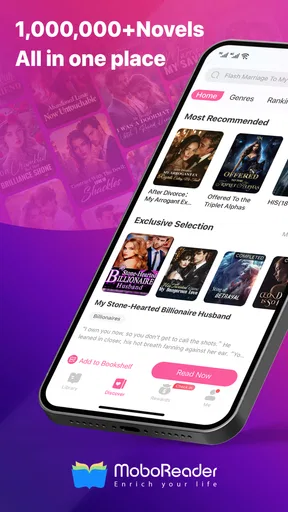

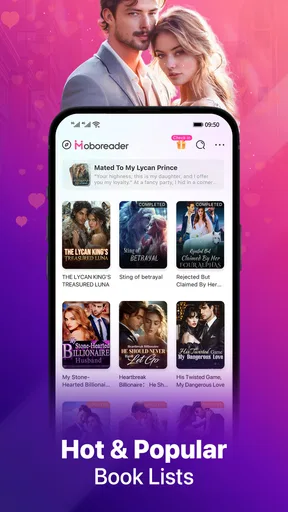
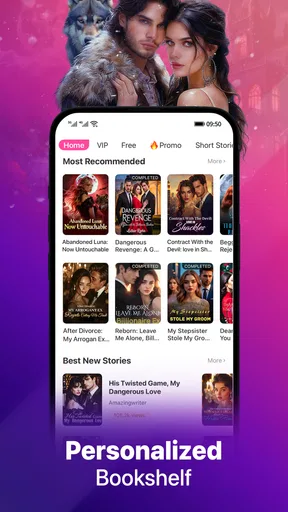
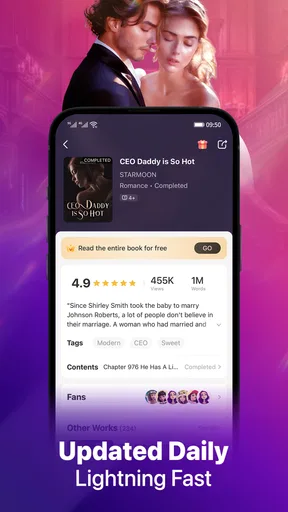
 Analysis by AppCompare
When a reading app is used around the house, the important question is not only what it offers, but whether it suits the way each person actually reads. I see MoboReader: Good Web Novel as a focused place to browse serial fiction, especially romance, werewolf stories, and fantasy. It is free to install, but some reading can involve in-app purchases, so I would treat it as a personal reading space rather than a shared family library.
Discovering a Treasure Trove of Stories
The first thing that caught my attention with MoboReader was the sheer variety of content available. We're talking romance, fantasy, sci-fi, and more—all at your fingertips. It's like having a library that fits in your pocket. You can find something for every mood, whether you’re in the mood for a light-hearted rom-com or a gripping thriller.
That variety is most useful when I want a quick story to settle into, rather than a specific title I already know I want to read. Web novels often unfold in installments, so browsing can lead to a story that becomes part of a daily routine. The trade-off is that a large catalogue can make choosing feel less simple than picking up a familiar paperback. I recommend starting with a genre you already enjoy, then saving your experiments for when you have time to sample something new.
A User-Friendly Interface
Navigating through the app is a breeze. The design is intuitive, which means you won’t be spending ages figuring out where things are. The home screen presents you with trending novels and personalized recommendations based on your reading habits. I found this particularly helpful because it saved me from endless scrolling and decision fatigue.
For a shared tablet or phone, recommendations are also a reminder to keep reading habits separate where possible. If several people take turns using one device, one person’s browsing can affect what the next person sees. I would avoid treating the home screen as a neutral household shelf: it is better suited to one reader’s tastes, and another reader may prefer browsing independently rather than relying on someone else’s suggestions.
Features that Enhance Your Reading Experience
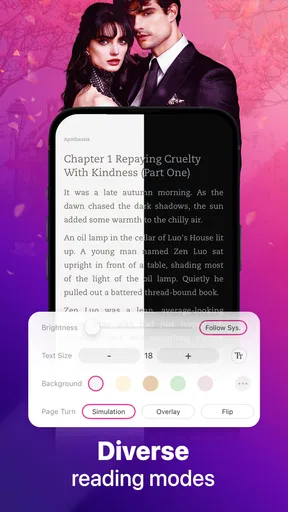
One of the standout features of MoboReader is the ability to customize your reading experience. You can adjust the font size, background color, and even the brightness setting—all without leaving the app. For someone like me who enjoys reading at night, the night mode is a godsend. It’s these little touches that make the app feel like it’s tailored just for you.
Those adjustments matter in ordinary situations, not only during long reading sessions. At home, I might enlarge the text for a relaxed evening read, then use a different background when the room is brightly lit. If another person borrows the same device, they may need to change those settings back to suit themselves. I would make that small reset part of handing over the phone, rather than assuming the next reader will want the same display.
Worth Reading Before You Choose

Flipboard Shows What News Apps Must Do Beyond the Feed

Switching to Android Auto Means Rethinking Your Driving Routine

Google Calendar Makes a Crowded Week Easier to Manage

Ludo King Makes the Most of the Minutes Between Plans

Baby Panda World Brings Quick Play to Modern Phones, but Its Game Library Feels Busy

ESPN’s Live Game View Makes Following Close Games Easier
Another feature worth mentioning is the offline reading option. You can download chapters or entire books to read when you're offline. This is perfect for commutes or long flights when Wi-Fi isn’t an option.
Offline access also makes it easier to plan a reading session before leaving home: choose a story and download what you expect to read, instead of relying on a connection while travelling. On a shared device, I would check that the intended reader has the right book ready before heading out. Downloads are useful for continuity, but they do not make the device itself a shared bookshelf with separate reading spaces.
Community and Interaction
What sets MoboReader apart is its interactive community. Readers can leave comments and reviews on novels, creating a vibrant community of book enthusiasts. You can also connect with authors, which adds a personal touch to the reading experience. It's like being part of a book club where everyone shares the same enthusiasm for storytelling.
The app also hosts frequent events and challenges, offering rewards and fostering a sense of camaraderie among users. This keeps the app lively and encourages you to engage with other readers.
For me, the social side is best treated as an optional extra. Comments can help show how other readers are reacting to a chapter, but they can also interrupt the flow if I want to stay immersed in the story. I would read first and dip into discussion afterward, especially when a plot turn matters to me. That small habit lets the story remain the main event while still leaving room for reader conversation.
In a household, community activity is also a reason to be deliberate about whose account and reading session are in use. A comment or interaction belongs to the person who makes it, not automatically to everyone sharing the device. If family members have different tastes or want different levels of participation, separate personal use is more sensible than passing one active session around.
Free vs. Premium Content
While MoboReader offers a lot of free content, there is a premium section that requires in-app purchases. Some might find this a bit of a bummer, but the quality of the premium content often justifies the cost. Plus, there are plenty of free stories to keep you entertained if you’re not ready to invest just yet.
The app is free to download, but that does not mean every chapter or book is free to read. In-app purchase options range from $0.49 to $199.99 per item, so I would look at the cost shown for a particular unlock before confirming anything. If a device is shared, agree on who is allowed to make purchases and who should approve them. That is a practical household boundary, not a feature I would assume the app enforces for you.
The app uses a coin system, where you purchase coins to unlock chapters or entire books. It’s a straightforward system, but it’s something to consider if you plan on diving deep into premium content.
My useful rule is to sample a story before spending: read the free material available, decide whether I genuinely want to continue, and only then consider unlocking more. Serial fiction can encourage “just one more chapter” reading, so a preset spending limit can prevent a casual session from turning into a string of unplanned purchases. Readers who prefer a single upfront price for a complete ebook may find a conventional ebook store easier to budget.
Choosing It for Your Household
MoboReader is a better fit for an individual reader than for a household expecting a shared, curated library. The app is aimed at web novels and serialized storytelling, while general ebook apps often work better when the goal is to organize books from different sources or read titles already owned. If you enjoy discovering ongoing fiction and following it in short sessions, MoboReader has a clear appeal. If you mainly want classics, reference books, or a collection you can manage as a family, a broader reading app or a physical library may suit you better.
A realistic use case is a reader who has a quiet break after dinner, opens a story they have already been following, and reads a few chapters while the rest of the household uses the room. Before a commute the next morning, they can prepare chapters for offline reading. That routine makes the app convenient without requiring everyone at home to share one account or agree on the same genre.
For parents considering a shared device, I would not interpret the app’s presence as making it suitable for every age. Its content rating is Mature 17+, which is a clear reason to keep age context in mind and to choose reading material deliberately. A younger household member should not be handed the app as if its entire catalogue were intended for children.
There is a boundary worth being plain about: I would not rely on household coordination alone to make an age-inappropriate catalogue appropriate. If a younger reader needs books, a children’s reading service or selected print books are a better choice. For adults with distinct tastes, personal accounts and individual purchasing decisions reduce confusion over recommendations, comments, and paid chapter unlocks.
Who Will Enjoy It—and Who May Prefer Another Option
I would recommend MoboReader to adults who like romance, fantasy, werewolf fiction, and the pace of serial stories, particularly if they want to read in short bursts or continue offline. Its reading adjustments are useful for tailoring a session, while community discussion can add a social layer for readers who enjoy reacting to chapters with others.
I would skip it if I wanted a quiet, conventional ebook catalogue with a predictable one-time price for every book, or if I needed a child-focused reading environment. It may also frustrate anyone who dislikes browsing a large stream of stories or encountering paid unlocks while following a title. In those cases, a library app, an ebook shop centered on complete books, or print reading offers a more straightforward fit.
MoboReader is developed by MOBOREADER TECHNOLOGY USA CO LTD. It has a 3.8 average from around 148,000 ratings, with over 5 million installs. That suggests it has found a substantial audience, though the rating also makes me cautious about assuming every reader will find the experience equally smooth. I would use the free material to judge whether its selection and paid-reading model suit me before committing money.
Why You Should Give It a Try
If you’re someone who loves reading and exploring new genres, MoboReader: Good Web Novel might be just what you’re looking for. With its vast selection of stories, user-friendly interface, and interactive community, it offers a comprehensive reading experience that caters to both casual and voracious readers.
The app is listed as a Books & Reference app, is free to install, and carries a Mature 17+ content rating. It was released on October 16, 2017, and its current version is 8.5.8, with Android 6.0 as the minimum operating system. Those details make it straightforward to check basic compatibility, but the more important decision is whether you want serialized fiction and are comfortable checking costs as you read.
Whether you’re a newbie to digital reading or a seasoned e-book aficionado, this app is worth a download. So grab your favorite beverage, find a comfy spot, and let MoboReader transport you to worlds unknown!
My household verdict is that it works best when one adult reader treats it as a personal destination for web novels, rather than a shared family bookcase. Keep purchases intentional, choose stories with the age rating in mind, and prepare offline reading before a trip. With those expectations, it can make a handy companion for spare moments; without them, the genre focus and chapter-unlock model may make another reading option a better match.
Pros
- Wide variety of genres available.
- Offline reading mode supported.
- User-friendly interface design.
- Regular updates with new chapters.
- Customizable reading settings.
Cons
- Contains in-app purchases.
- Ads can be intrusive at times.
- Limited free chapters available.
- Requires internet for some features.
- Some novels have incomplete translations.
FAQs for MoboReader: Good Web Novel
What is MoboReader and what can I do with it?
MoboReader is an app designed for reading a wide range of web novels, including genres like romance, fantasy, and mystery. Users can browse a vast library of stories, customize their reading experience with various themes and fonts, and even download novels for offline reading. It's perfect for anyone who loves diving into captivating stories on the go.
Is MoboReader free to use, or are there in-app purchases?
MoboReader is free to download and offers a selection of free novels to read. However, it also includes in-app purchases, allowing users to buy coins that can be used to unlock premium content and additional chapters. This model lets readers enjoy more exclusive stories and support their favorite authors.
How can I customize my reading experience in MoboReader?
MoboReader provides various customization options to enhance your reading experience. You can adjust font size and style, change the background color or theme, and even switch between day and night modes to reduce eye strain. These features ensure that each user can tailor the app to their personal reading preference.
Does MoboReader require an internet connection to function?
While MoboReader requires an internet connection to browse and download new novels, it allows users to save books for offline reading. Once you've downloaded a novel, you can enjoy it without any internet connection, making it perfect for reading during commutes or in areas with limited connectivity.
Can I interact with other readers or the authors on MoboReader?
Yes, MoboReader includes community features that allow you to engage with other readers and authors. You can leave comments on chapters, participate in discussions, and even follow your favorite authors to stay updated on their latest releases. This interactive aspect enriches the overall reading experience.


